AutoElevate has a rule that will allow this, so a user can do this themselves as well in the future.
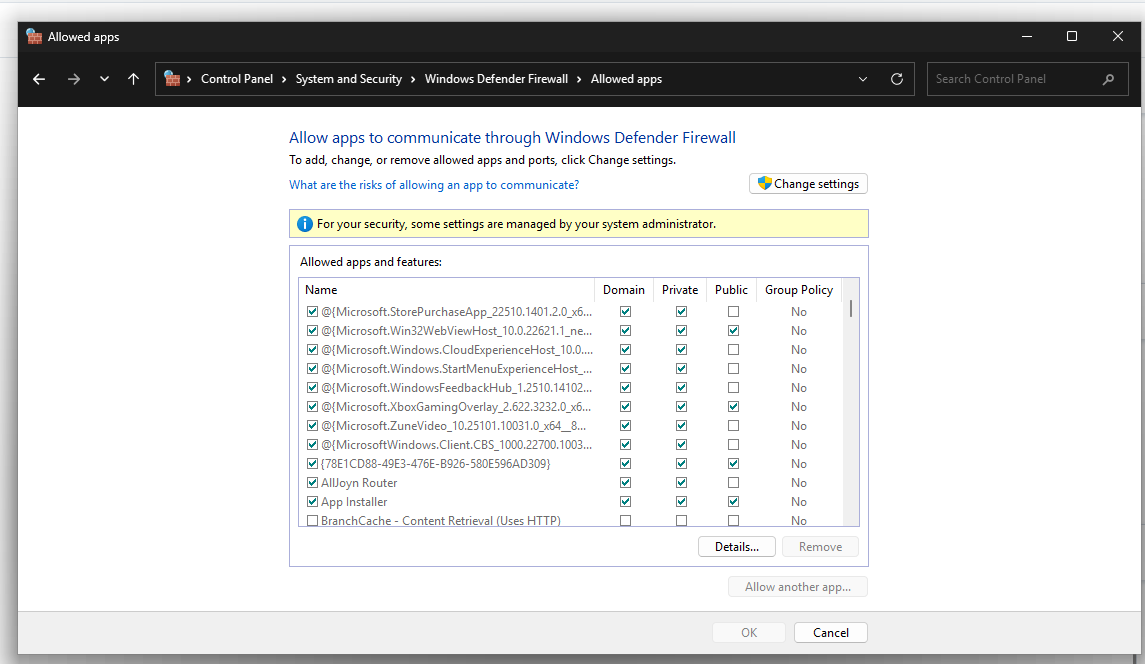
Open Control Panel > System and Security > Windows Defender Firewall > Allow an app or feature through Windows Defender Firewall
Hit "Change Settings" then select the application by checking the box to the left of it, then choose the firewall profiles to apply it to. Egan does not enforce the firewall on the "Domain" network. So unless the user turned it on themselves somehow, you'll probably be adding this to Public and Private.
When you are finished select "Ok" The app should now be allowed through.