
Permissions Guide
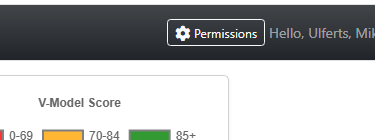
PM Dashboard and labor tracking access can be managed in the PM Dashboard application using the “permissions” button on the top right of the page. The following rules apply. Forward any users asking for PM Dashboard permissions for Groups, Departments, PMs, or jobs to this page:
Step-by-Step Process
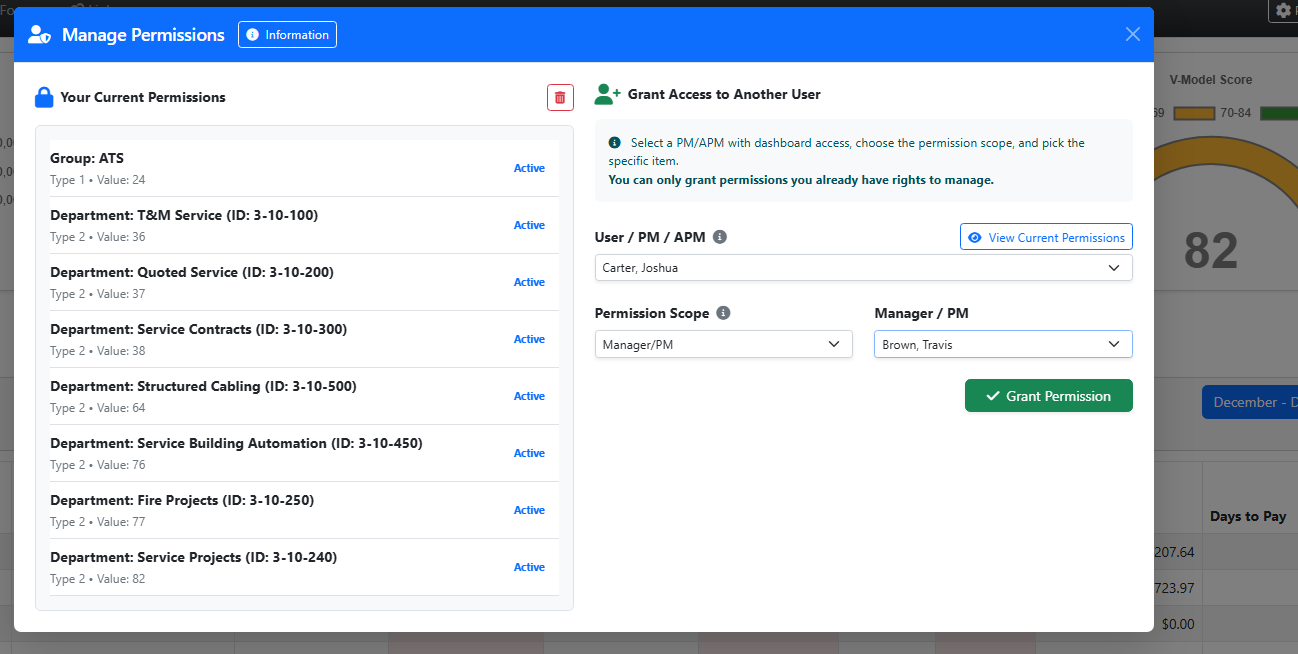
Select the user you want to grant access to (only active PMs/APMs with dashboard access appear).
Choose the permission scope:
Root → full access (very restricted, only if you have it)
Group → all jobs in a group
Department → all jobs in a department
Manager/PM → all jobs owned by a specific person
Specific Job → access to one job only
Pick the specific value (group, department, person, or job) if required for the scope.
Click Grant Permission — the system will verify your rights and add the permission if allowed.
Important Rules
You cannot grant permissions broader than what you currently have.
Duplicate permissions are blocked automatically.
Root/admin access cannot be granted by anyone except existing root users (very rare).
Changes take effect immediately — no approval workflow is required.
If a manager or APM does not show up in user lists, they may need to be set up with a sales job (S-job) by accounting.
Need Permissions Yourself?
If you need access to a specific group, department, PM, or job, please contact:
Your direct manager, or
The manager/PM responsible for the job/group/department you need access to.
They can use this same tool to grant you the appropriate permission level.
You can only grant permissions you yourself already have. The system enforces this rule automatically. This tool allows authorized managers and PMs with sufficient access to grant dashboard permissions to others.
Note: Many departments have automated PM Dashboard rights that allow department-wide access for any PM or manager in the division based on job titles. You may not need to have permissions added if you are moving into a project manager role.